What are Cursor rules for Java?
A curated and opinionated collection of Skills and Agents to be used in modern SDLC workflows for Java Enterprise development with your favorite AI Agent harness.
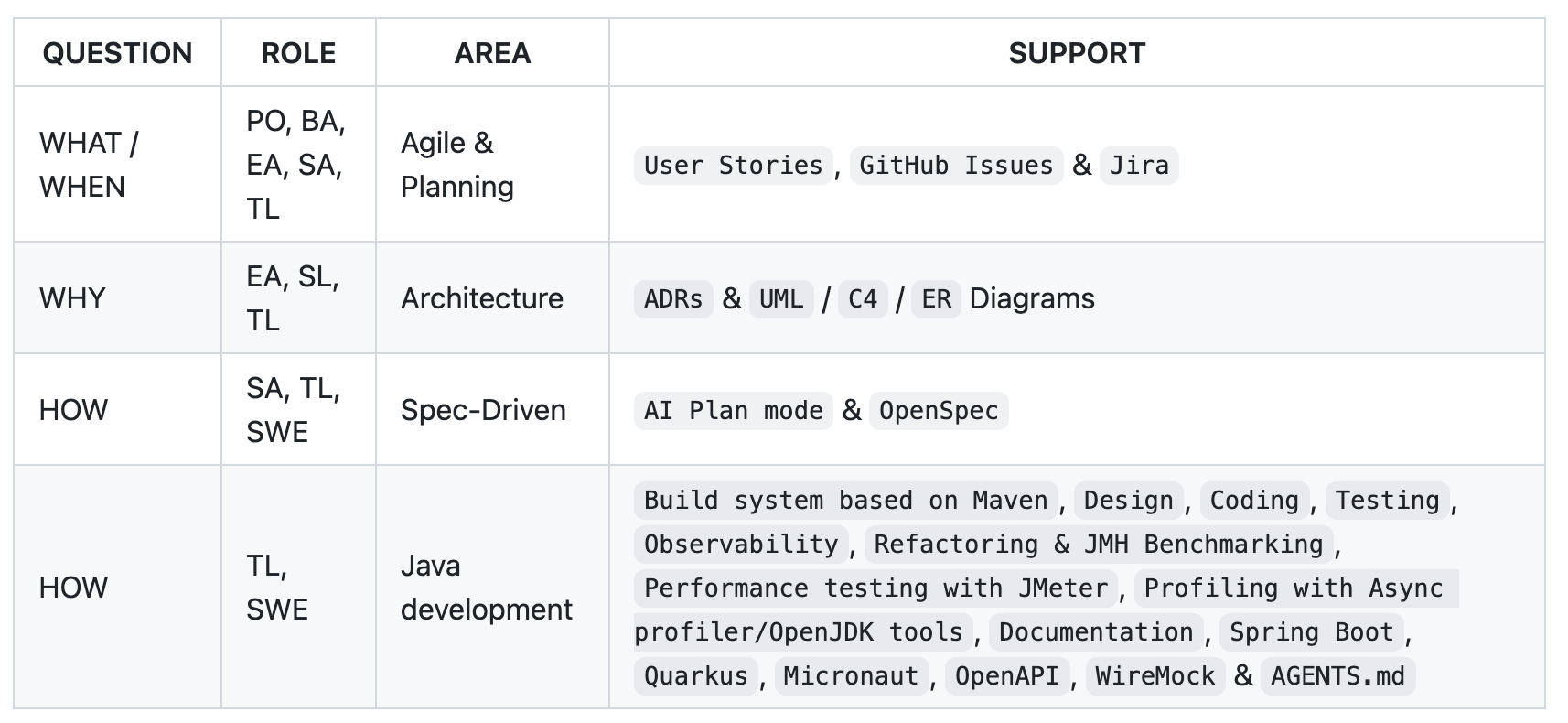
Thanks to our community members in Singapore, Chengdu, Hanoi, Copenhagen, and Quito. 👋👋👋
What's new in this release?
Rules support dropped in favor of Skills
Until this release, the project maintained three very different deliverables: Rules, Skills, and Agents. Rules and Skills both guide model behavior in broadly similar ways, but Rules were Cursor’s approach while Skills have recently become the standard, so consolidating on a single solution makes more sense. On the other hand, maintaining a single generator (skills-generator) made it possible to improve how skills are packaged, which was somewhat constrained when both rules-generator and skills-generator existed. If you followed the various ADRs published in the repository, you could see why the project preserves the same guidance while adopting Skills-based packaging. In previous months, users developed or refactored code using System prompts/Rules in this way:
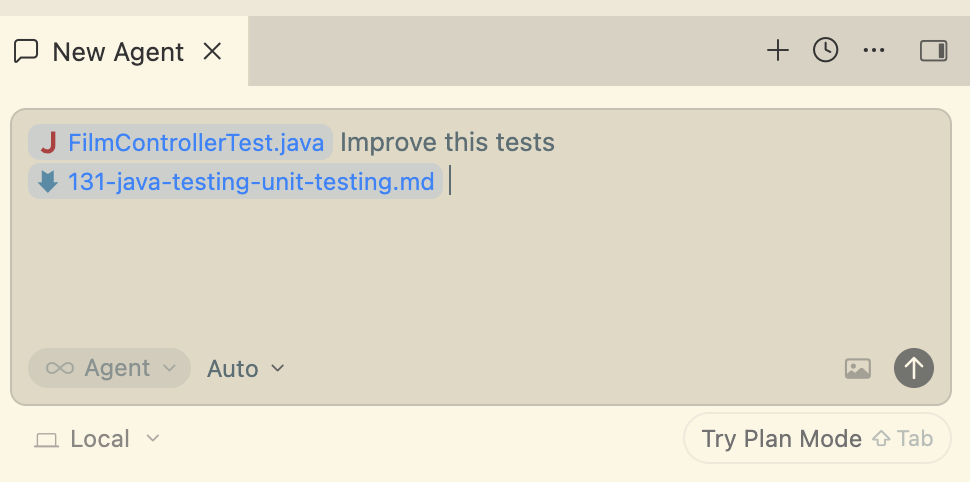
But now, you can do the same by adding the Skill to the context of your favorite AI Agent harness. You can add the Skill you want to the context explicitly, or leave it to the AI tool to use or skip depending on the context—so you can achieve the same outcomes with Skills as you could with system prompts in the past.
On the main branch, a few resources about System-prompts/rules remain temporarily; we still see web traffic for them:
- All rules from v0.13.0: https://github.com/jabrena/cursor-rules-java/tree/main/.cursor/rules
- Getting Started: https://github.com/jabrena/cursor-rules-java/blob/main/documentation/guides/GETTING-STARTED-SYSTEM-PROMPTS.md
That usage is deprecated in favor of Skills and will be removed in the coming months; review the new documentation and adapt your process or pipelines.
Separately, you can still download the last generated System prompts/rules from release 0.13.0 if you need them, but development is frozen in favor of the Skill Standard.
Improvements in the Agile process
When you create a User Story, the flow not only generates the usual structure and acceptance criteria in Gherkin format, but it also reviews the user story as a whole using INVEST. INVEST is an acronym used in Agile to evaluate the quality of a user story, ensuring it is Independent, Negotiable, Valuable, Estimable, Small, and Testable.
Skills:
@014-agile-user-story
Improvements in the planning process
It is tedious to copy issue details from your issue tracker into the context of whichever AI tool you use. With that in mind, you can now access assigned issues more easily if you work with GitHub Issues or Jira. Those Skills combine well with @014-agile-user-story to turn the classic Anemic one-line User Story into something richer.
Once the information is ready for development, you can convert it into a Change or Delta using OpenSpec.
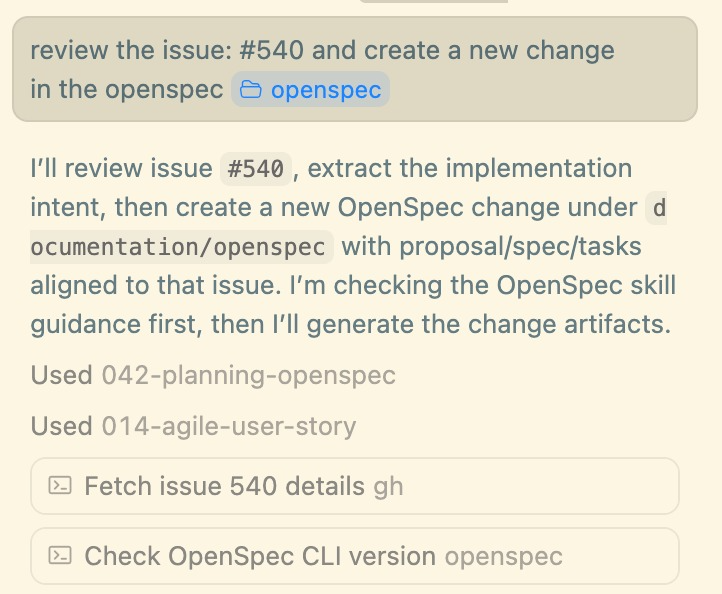
How does OpenSpec work?
OpenSpec is a spec-driven change workflow: you capture what you want and how you will verify it before (or alongside) changing code and generators.
The scaffolding for any project using OpenSpec looks like this:
openspec/
 └── changes/
      └── add-profile-filters/
           ├── proposal.md
           ├── tasks.md
           └── specs/profile/spec.md
 └── specs/
config.yaml
Commands you will use often:
openspec init
openspec list
openspec status --change <change-id>
openspec show <change-name>
openspec new change <change-name>
openspec validate --all
openspec archive <change-name>
Further information about OpenSpec: https://openspec.dev/
When to use OpenSpec in daily work
If you pick up a user story from any issue-tracking tool and it relates to a service you know well, you can use the following workflow directly:
User story > Create a Change in OpenSpec > Implement with Java Agents
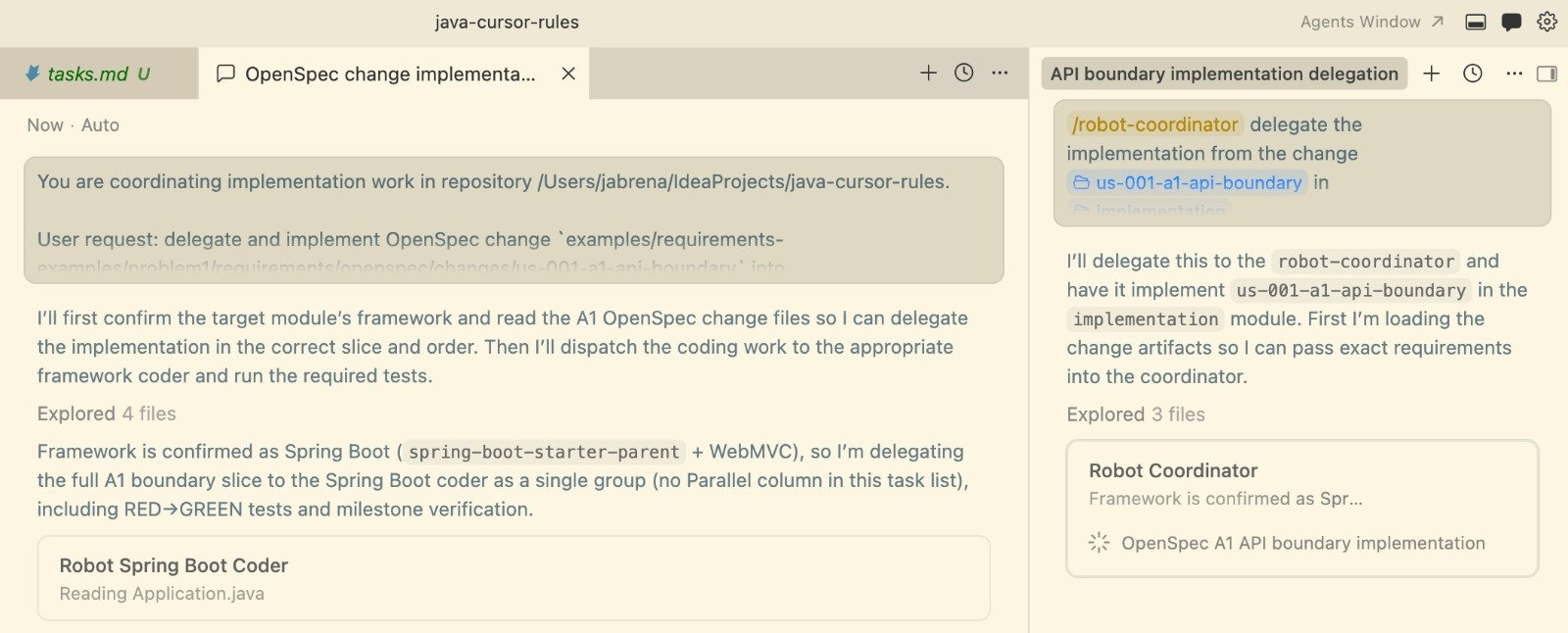
But if you are less sure about the assigned user story, invest more time in the analysis phase:
User story > Create a Plan > Enhance the plan > Convert into multiple Changes in OpenSpec > Implement with Java Agents
Why spec-driven development (SDD) matters for senior software engineers
Whether you use pair programming or work alone with your AI Agent harness, taking time to structure your thoughts before implementation almost always pays off compared to a traditional session that mixes manual coding with user prompts.
When you are modeling the changes or deltas, you could consider:
- Size of the incremental deltas
- Style of the overall test suite using criteria such as London-style outside-in
- Room up front to review, change, or enhance the proposed tests
- Include TDD in the task organization (consider TCR)
- Do not execute all changes at once: finish one, review for technical debt, then continue
- Structure your day around a clear agenda
- Build in quality by design
Skills:
@042-planning-openspec@043-planning-github-issues@044-planning-jira
Improvements in the Implementation phase
Improvements in Maven
Now it is easier to update or search for dependencies in your pom.xml with the skill @114-java-maven-search. On the other hand, the Maven-related skills are gradually gaining popularity in Vercel's Skill registry.
Skills
@114-java-maven-search
Reinforced REST API desing and testing
Now, you can review and harden OpenAPI 3.x contracts with @701-technologies-openapi when the specification still needs work. As you develop integration tests, you can strengthen them with HTTP stubs from WireMock using @702-technologies-wiremock. Finally, if you want black-box testing driven by your OpenAPI specification, @703-technologies-fuzzing-testing based on CATS can help surface defects through contract-driven negative testing, malformed and boundary inputs, and related edge cases.
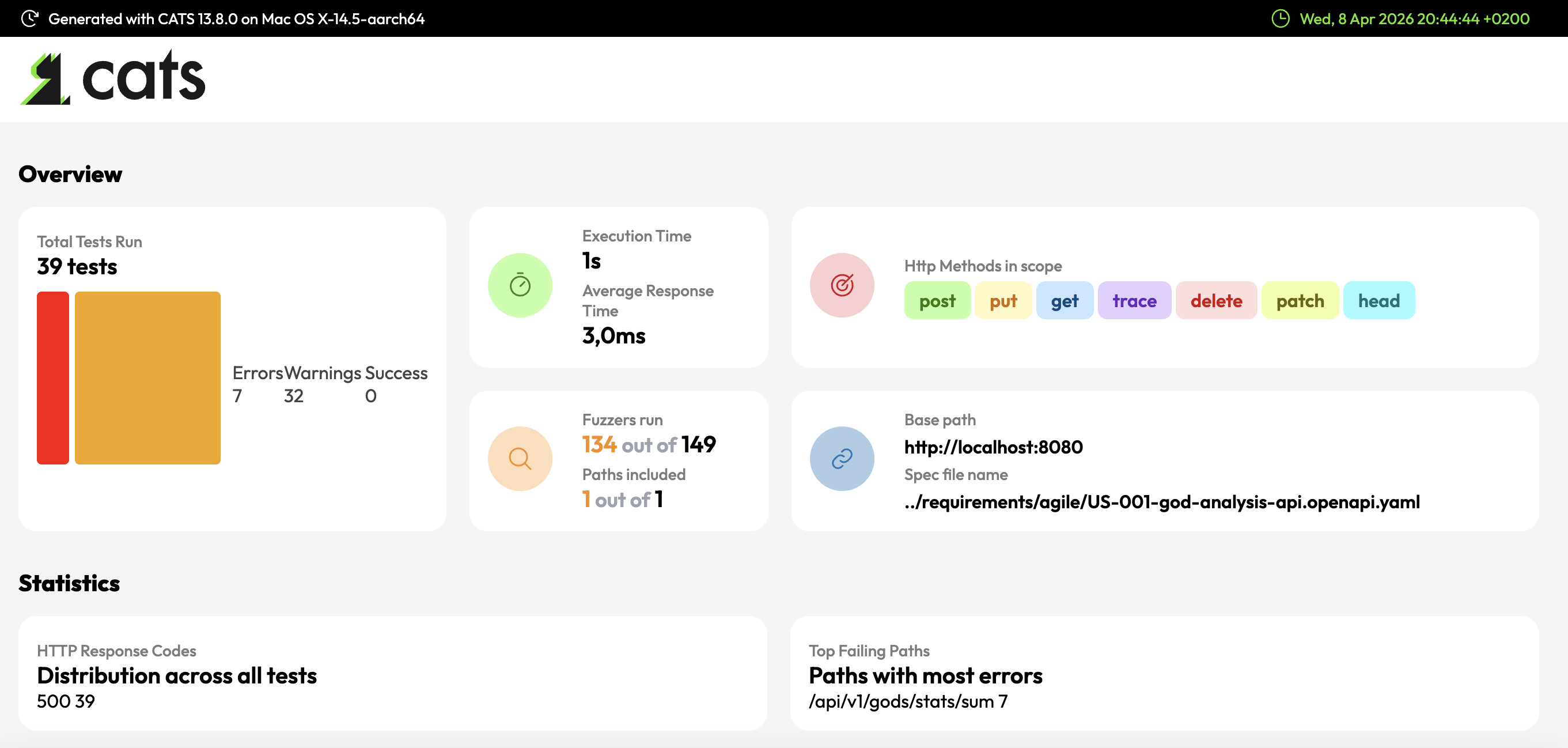
Further information about CATS: https://github.com/Endava/cats
Skills
@701-technologies-openapi@702-technologies-wiremock@703-technologies-fuzzing-testing
Skill inventory
In version v0.14.0, the project ships 68 Skills.
You can install the Skills easily with:
npx skills add jabrena/cursor-rules-java --all --agent cursor
npx skills add jabrena/cursor-rules-java --all --agent claude-code
Once you have the skills installed, you can install the Agents with:
@005-agents-installation Install Agents in Cursor
@005-agents-installation Install Agents in Claude
Evolution of this project in Vercel's Skills registry
The ecosystem is large, so you will need your own criteria beyond whether this project fits your preferences.
This project focuses mainly on the following categories, and that scope continues to evolve:
- Maven, https://skills.sh/?q=maven
- Architecture ADR, https://skills.sh/?q=architecture+adr
- Java, https://skills.sh/?q=java
- Spring Boot, https://skills.sh/?q=spring-boot
- Quarkus, https://skills.sh/?q=quarkus
- Micronaut, https://skills.sh/?q=micronaut
In upcoming releases, the project will focus on the skills-lock.json file.
Which third-party MCP servers are we using?
We continue using the MCP from James Ward to retrieve Javadocs from dependencies. In this release, we also added Serena, a powerful MCP toolkit for coding that provides semantic retrieval and editing capabilities.
{
    "mcpServers": {
        "javadocs": {
            "url": "https://www.javadocs.dev/mcp"
        },
        "serena": {
            "command": "docker",
            "args": [
                "run",
                "-i",
                "--rm",
                "-v",
                ".:/workspaces/projects/repo",
                "ghcr.io/oraios/serena:latest",
                "serena",
                "start-mcp-server",
                "--project",
                "/workspaces/projects/repo"
            ]
        }
    }
}
Further information about Serena: https://oraios.github.io/serena/
Further information about LSP: https://microsoft.github.io/language-server-protocol/
What is the next step?
In the next release, the project will be renamed to reflect its evolution, and the naming process will take time.
Separately, the Skills need a few improvements to increase quality, so we will use notes from Tessl.
Do you still have questions about the project?
If you feel stuck using this project or have questions, you can attend the following workshop at Codemotion Madrid 2026: