AI-Native Tooling for Java Development
Juan Antonio Breña Moral
Leandro Loureiro

Who I am
 |
Juan Antonio Breña Moral Engineering @ IG Group, EU Division
Twitter | GitHub | LinkedIn |
|
"Make it work, make it right, make it fast." - Kent Beck "Lead me, follow me, or get out of my way.", "Pressure makes diamonds." - George S. Patton Jr. |
|
Who I am
 |
Leandro Loureiro Engineering Manager @ ING
GitHub | LinkedIn |
|
I'm from Portugal, living in Amsterdam Spent most of my career as a Software Engineer in Financial Services Engineering Manager for the last 4 years Passionate about travel and DIY electronics |
|
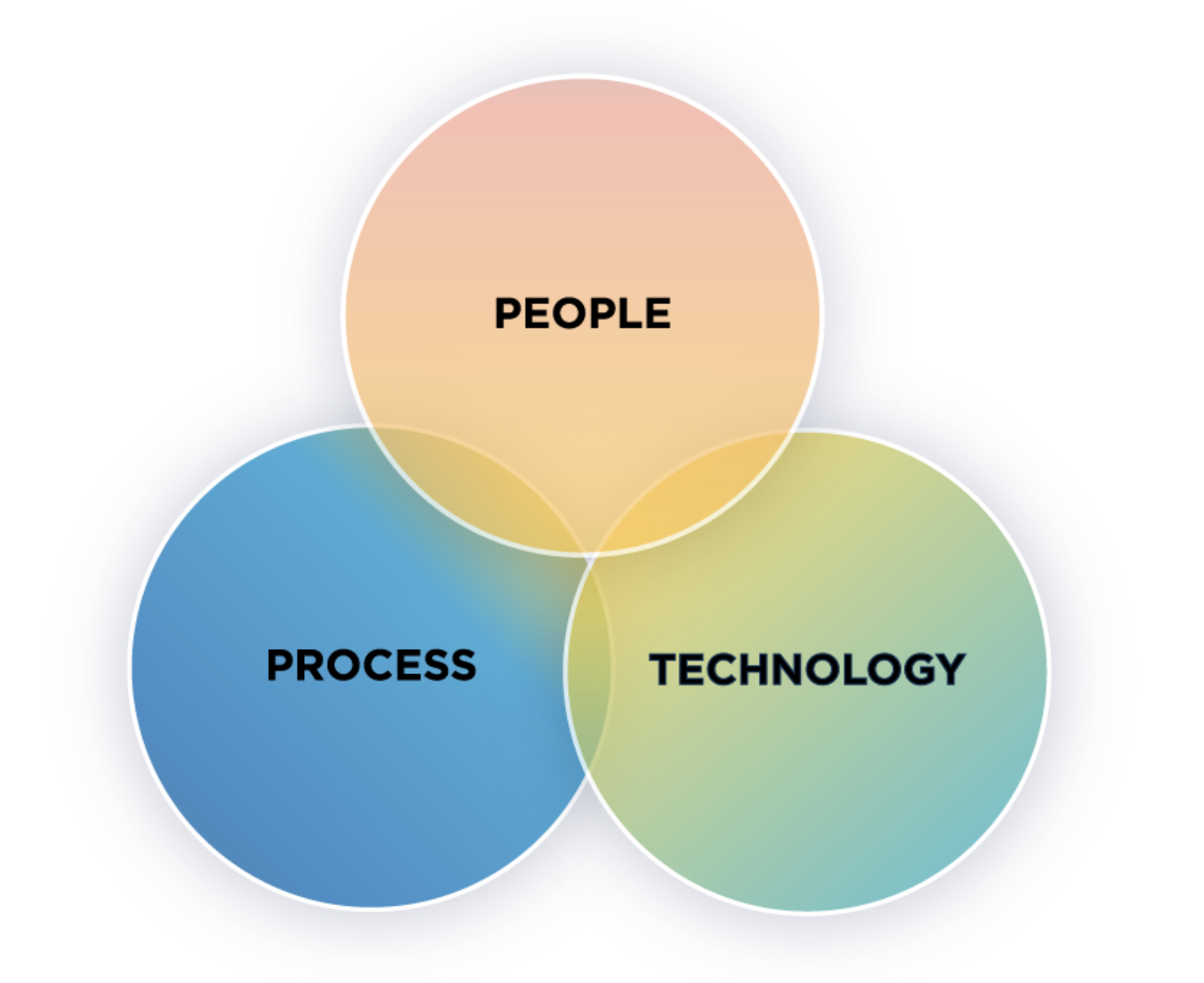 Source: Leavitt's Alignment Model (1965) >> People, Process and Technology Framework
Talk's scope
Specialized LLMs for Enterprise
Train Specialized LLMs
Fine-tuning, LoRA/QLoRA, Distillation, ...
AI Agent Orchestration & Pipelines
Automate stable processes using AI Agents
Spring AI, LangChain4j, Embabel, ...
AI Harness Engineering FOCUS OF THIS TALK
Software Engineering enhanced with AI
SDD, Java Skills, MCP-Servers, Knowledge bases, ...
Agenda · 180 minutes
- Introduction
- What is Plinth?
- Exercise 1
- AI-Native development workflow
- Refactor Java code with Skills
- Exercise 2
- AI-Native development workflow
- Refactor Java code with Skills
- Takeaways
- Questions & Answers
Introduction
The usage of AI in software engineering is changing the way we work, but that change brings new challenges to address.
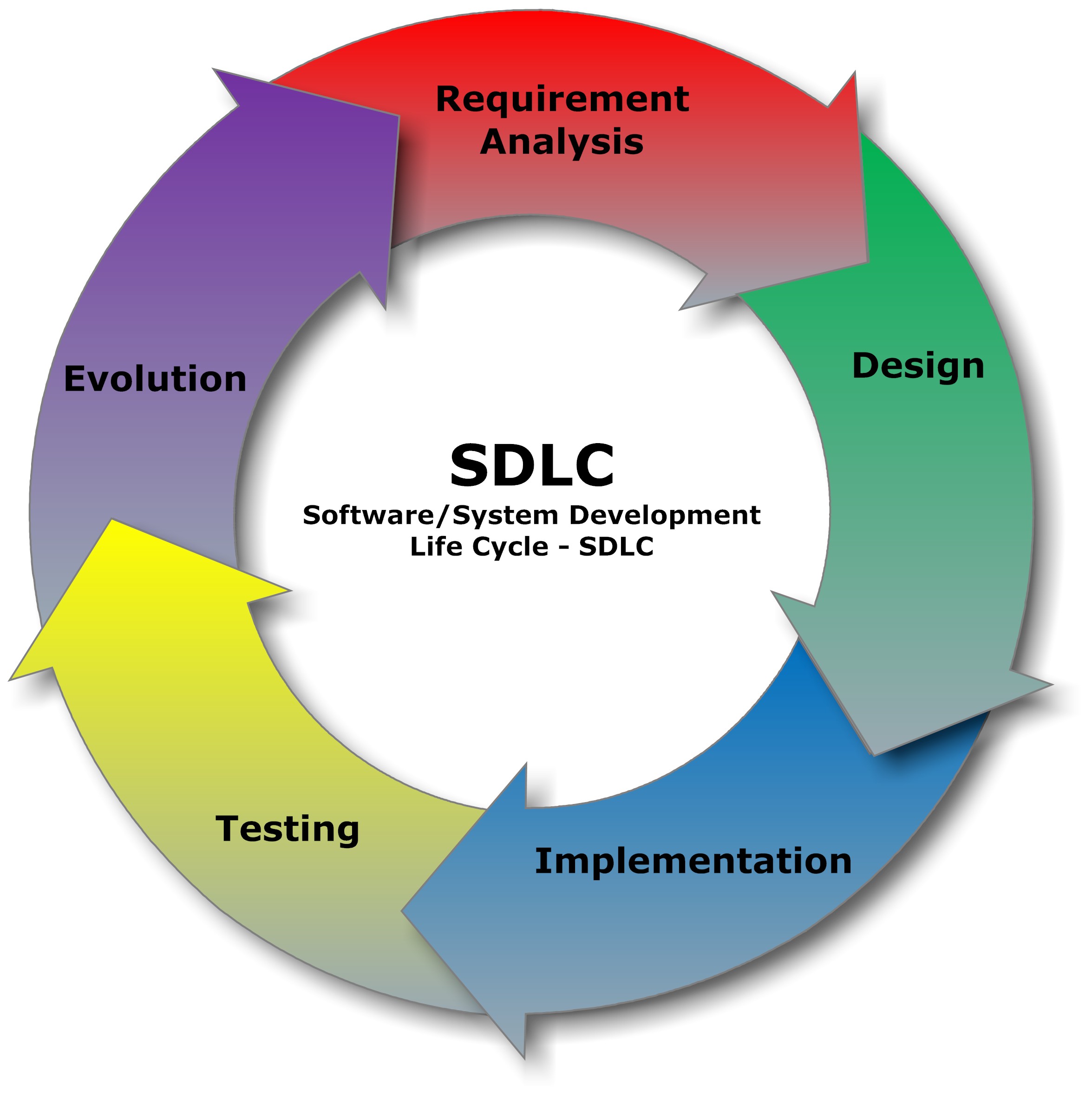
Three project realities
Greenfield
Design the context
Define boundaries
contracts
and owners
Brownfield
Discover and connect context
Trace dependencies
document decisions
and close gaps
Legacy
Recover and validate context
Read behavior
data and incidents
then test assumptions
What is Plinth?
Plinth is an AI-native engineering toolkit for modern Java enterprise SDLC.
It started as Cursor rules for Java and evolved into reusable agent skills, agents and commands that guide AI assistants through the whole SDLC.
2 years of work and iteration, and its skills are popular on Skills.sh.

This workshop succeeds if, by the end, you understand the concepts behind implementing features with harness engineering.
Whether or not you use Plinth later, you leave with a solid starting point.
Plinth workflows
Project scope:
AI-Native development workflow
/onboarding/update-issue → /explore-problem →
/create-acceptance-criteria/create-spec → /explore-design/implement-spec → /close-specRefactor the code with Skills
Modern Java
141-java-refactoring-with-modern-features142-java-functional-programming143-java-functional-exception-handlingDesign
121-java-object-oriented-design122-java-type-design123-java-design-patterns
Coding
126-java-exception-handling128-java-generics124-java-secure-coding
Plinth benchmarks
Read the following articles about Plinth benchmarks:
Exercise 1
In this exercise, you will learn how to use the Plinth framework to develop AI-native Java applications.
AI-Native Java development workflow
Installation
Install every skill for your preferred agent. Execute the command in a terminal:
npx skills add jabrena/plinth --skill '*' --agent cursor -y
npx skills add jabrena/plinth --skill '*' --agent claude-code -y
npx skills add jabrena/plinth --skill '*' --agent codex -y
Installation
Install every command for your prefered agent. Execute the command in your prefered agent:
install @004-commands-installation cursor
install @004-commands-installation claude-code
install @004-commands-installation codex
Installation
Install every agent for your prefered agent. Execute the command in your prefered agent:
install @005-agents-installation cursor
install @005-agents-installation claude-code
install @005-agents-installation codex

Demo: Install Plinth in your repository
Installation
Once the installation finishes, your repository is ready to run the AI-native workflow and deliver any feature of a Java Enterprise project.
AI-Native development workflow
/onboarding/update-issue → /explore-problem →
/create-acceptance-criteria/create-spec → /explore-design/implement-spec → /close-spec/onboarding
Makes the repository ready to work with Plinth AI native workflow
by securing two prerequisites:
AGENTS.md
Interactive: asks 6 questions, one by one
- Role · backend, full-stack, DevOps, architecture…
- Tech stack · Java version, build tool, frameworks
- File structure · read-only vs. editable folders
- Commands · build, test, run
- Git workflow · commit style, PR checklist
- Boundaries · always, ask first, never
* Only needs to be done once per repository / project.
Demo: Prepare your repository for use AGENTS.md & OpenSpec
Pick up an issue
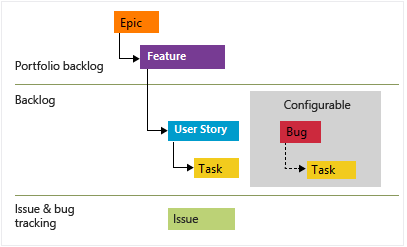 Source: https://learn.microsoft.com/en-us/azure/devops/boards/backlogs/define-features-epics?view=azure-devops&tabs=agile-process
Why the separation and order matters
Two artifacts, two questions, two audiences
approved by the business
approved by engineering
Functional Specification
/update-issue
/explore-problem
/create-acceptance-criteria
Good specifications require time
AI makes implementation 10× faster.
Understanding intent, constraints, and consequences still runs at 1×.

The Three Amigos!

Source: https://www.imdb.com/es-es/title/tt0092086/
The Three Amigos is an Agile practice where three perspectives review an increment of work before, during, and after development: Business, Development & Testing.
/update-issue
Rewrites an existing issue description as structured,
evidence-backed content
- GitHub or Jira issue number, key or URL
- Optional source: notes, discussion, user story, file path
- Current issue body and discussion are read first
- Structured user story in the issue description
- Acceptance criteria or scenarios when applicable
- Updated issue reference and URL
/explore-problem
Evaluates the issue through five lenses and produces a Functional Specification
/create-acceptance-criteria
Turns the Functional Specification into observable Gherkin scenarios
/explore-problem
Feature: <name>
Scenario: <observable>
Given <context>
When <event>
Then <outcome>
turns what and why into something checkable and easier to review
Demo: Define functional specifications
HITL: Verify functional specification before moving to technical specification
Technical Specification
/create-spec
/explore-design
What is OpenSpec?
A lightweight and configurable framework for creating and managing software specifications.
Build the right thing, and build it right
Capture what you want to build in a spec, and keep your team and your coding agents aligned as the work evolves.
the requirements
that they describe the right thing
that the implementation matches
/create-spec
Turns approved material into a validated OpenSpec change
- Issue or user story with its acceptance criteria
- Approved design, ADRs or implementation plan
- An existing OpenSpec change to update
- Proposal, design, specs and task list
- Requirements as Given / When / Then scenarios
- Validation and traceability report
/explore-design
Refine the technical design of an issue or OpenSpec change before implementation.
- OpenSpec change with an unresolved approach
- Architecture context and constraints
- Alternatives, trade-offs and rejected options
- Recommended direction with rationale
- Components, data flow, failure handling, testing strategy
- ADR candidates and open questions
- A recommendation is not a decision: nothing is approved until a human confirms it
Demo: Define functional specifications
HITL: Verify technical specification before moving to implementation
Build
/implement-spec
/close-spec
/implement-spec
Delivers an approved task list through framework-aware delegation
- Validated OpenSpec change or approved plan
- Acceptance criteria and testing strategy
- Repository conventions and build commands
- Code and tests for each completed task
- Build and test run as evidence
- Delegation does not transfer accountability: the diff is still reviewed by a human
/implement-spec
The tech lead agent runs the process, but it never writes code itself
- Change is current, approved and consistent
- Every scenario has a task, and every task a scenario
- Workspace is clean
- Feature branch or worktree (main only with explicit approval)
- Coder matched to the framework: Spring Boot, Quarkus, Micronaut, Java or non-Java
- Relevant skills picked for that coder
- Tasks split into groups, each owning its files
- Dependent groups run in order; independent ones run in parallel
- Each handoff: tasks, acceptance criteria, checks to run
- Coder returns changed files, test and build results
- Task marked done only when its acceptance criteria pass
- Blockers and risks reported
/implement-spec
The tech lead delegates the work to specialized coding agents
/close-spec
Archives a delivered OpenSpec change and folds it into the specs
- OpenSpece change whose tasks are complete
- Evidence that acceptance criteria are met
- Change archived through the OpenSpec CLI
- Specs updated to reflect the new behaviour
- A clean slate for the next change
Demo: Define functional specifications
HITL: Verify that implementation has any gap or something missing before commiting
Refactor the code with Skills
Refactor
Implement and improve Java applications with guidance on:
Modern Java
Design
Coding
Architecture
Maven
Testing
Performance
Profiling
Observability
125 Skills
Modern Java
141-java-refactoring-with-modern-features |
Add Modern Java Features |
Lambdas & method references · Stream API · Optional · java.time · var · List.of() · text blocks · Java 25 features |
|
142-java-functional-programming |
Add Functional Programming style |
| Records & immutability · pure functions · function composition · pattern matching · sealed types · Stream Gatherers | |
143-java-functional-exception-handling |
Apply functional programming approaches for error handling |
Optional & VAVR Either over exceptions · sealed error hierarchies · map/flatMap error pipelines |
|
| Separate data from behavior with records · immutable data & pure transformations · flat data with ID references · pure validation | |
Design
121-java-object-oriented-design |
Apply Object Oriented Design principles |
| SOLID · DRY · YAGNI · composition over inheritance · encapsulation · code smells: God Class, Feature Envy, Data Clumps | |
122-java-type-design |
Review Type Design in development |
Value objects over primitive obsession · type-safe wrappers · generics · fluent interfaces · BigDecimal for money |
|
123-java-design-patterns |
Select and apply Java, REST, event-driven, persistence, and integration patterns |
| Creational, structural & behavioral patterns · REST contracts · Kafka outbox & sagas · repositories & transactions · anti-corruption layers | |
Coding
126-java-exception-handling |
Add Exception handling |
| Specific exception types · try-with-resources · exception chaining · fail-fast validation · translation at API boundaries · retries & timeouts | |
128-java-generics |
Apply generics in a class |
No raw types · PECS wildcards · bounded type parameters · generic methods · type erasure · @SafeVarargs · generics with records & sealed types |
|
124-java-secure-coding |
Review my code for Secure Java Coding rules |
| Input validation · parameterized queries · least privilege · strong cryptography · secrets management · safe deserialization · output encoding | |
Architecture
033-architecture-diagrams |
Generate UML, C4, ER and bounded-context diagrams |
| UML sequence, class, state-machine & deployment diagrams · C4 model · ER diagrams · bounded contexts · modular step-based process | |
030-architecture-adr-general |
Generate Architecture Decision Records (ADRs) |
| Interactive, one question at a time · context, stakeholders, options & outcomes · auto-numbered ADR files | |
Build · Maven
110-java-maven-best-practices |
Analyze your pom.xml and apply Maven best practices |
| Dependency management with BOMs · version centralization · plugin configuration · multi-module structure · build profiles | |
111-java-maven-dependencies |
Add Maven dependencies for improved code quality |
| JSpecify nullness · Error Prone + NullAway · VAVR · ArchUnit · JavaMoney · only what you actually need | |
112-java-maven-plugins |
Update your pom.xml with Maven Plugins |
| Enforcer · Surefire & Failsafe · JaCoCo · PIT · SpotBugs & PMD · OWASP · Spotless · Versions · Jib · JMH | |
Testing
130-java-testing-strategies |
Apply testing strategies |
| RIGHT-BICEP to guide test creation · A-TRIP for test quality · CORRECT for boundary conditions | |
131-java-testing-unit-testing |
Apply Unit Testing best practices |
| JUnit 5 · AssertJ · Mockito · Given-When-Then · parameterized tests · test independence · no reflection or shared mutable state | |
132-java-testing-integration-testing |
Set up integration test infrastructure with WireMock |
BaseIntegrationTest · WireMock JSON mappings · stubs isolated per test · verified HTTP interactions · no mocked HTTP clients |
|
133-java-testing-acceptance-tests |
Implement acceptance tests from Gherkin scenarios |
@acceptance scenarios · RestAssured · DB/Kafka fixtures · WireMock for external REST · *AT classes run by Failsafe |
|
Performance
151-java-performance-jmeter |
Run a performance test with JMeter |
run-jmeter.sh script · load tests with loops, threads & ramp-up · test plans generated from your REST endpoints |
|
152-java-performance-gatling |
Set up Gatling performance testing |
Gatling dependencies & Maven plugin · Java simulations · gatling:test · assertions & feeders · report review |
|
Profiling
161-java-profiling-detect |
Profile your application at runtime and collect evidence |
| async-profiler · CPU, memory, threading, GC & I/O · JFR recordings · flamegraphs · interactive profiling scripts | |
162-java-profiling-analyze |
Analyze the evidence and generate reports |
| Flamegraphs · CPU hotspots · allocation patterns · threading issues · problem categorization · Impact/Effort prioritization | |
163-java-profiling-refactor |
Refactor code to fix the bottlenecks found |
Targeted changes for CPU, memory & threading issues from the analysis reports · verified with ./mvnw clean verify |
|
164-java-profiling-verify |
Compare results before and after the changes |
| Baseline validation · before/after metrics · side-by-side flamegraphs · regression detection · final results report | |
Observability
181-java-observability-logging |
Apply logging guidelines |
| SLF4J with Logback/Log4j2 · proper log levels · parameterized logging · correlation context · no sensitive data in logs | |
182-java-observability-metrics-micrometer |
Apply Micrometer metrics best practices |
| Timers, counters, gauges & distribution summaries · naming & tag conventions · cardinality control · Actuator/Prometheus | |
183-java-observability-tracing-opentelemetry |
Apply OpenTelemetry distributed tracing |
| Span modeling · context propagation · semantic conventions · sampling strategy · privacy-safe attributes · OTLP collectors | |
Demo: Refactor the solution using a specific Skill
HITL: Verify that implementation has any gap or something missing before commiting
Exercise 2
In this exercise, you will learn how to use the Plinth framework to develop AI-native Java applications.
Takeaways
Takeaways
Know what to build before you build it
- The functional spec (what and why) is settled before the how
- Specs are based on the real issue, codebase and constraints
- Acceptance criteria make "done" verifiable
Takeaways
Humans stay in control
- HITL checkpoints after the functional spec, the design and the build
- Agents recommend; humans decide and approve
- Delegating to agents does not hand over accountability
Takeaways
Modular, adapt it to your case
- Run the full workflow, or pick single commands, skills or agents
- Greenfield, brownfield or legacy projects
- Plain Java, Spring Boot, Quarkus or Micronaut; Cursor, Claude Code or Codex
Takeaways
Context that persists
- Issues, specs, acceptance criteria and ADRs are kept as traceable artifacts
- Context outlives a single chat and is easy to share and review
- Teammates and agents reuse it for the next change
AI speeds up delivery;
specs, verification and human checkpoints keep it on track
🙏 🙏 🙏
Thanks